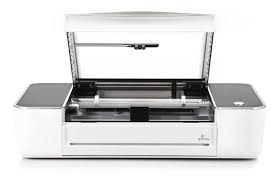
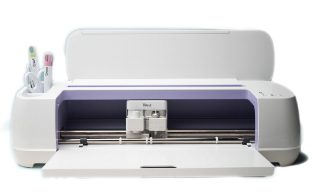
The Glowforge is where creativity meets precision engineering. This high-powered laser cutter turns digital designs into real-world creations—cutting and engraving wood with pinpoint accuracy. Whether you’re crafting custom signs, prototyping something brilliant, or just making cool stuff, our Glowforge makes it ridiculously fun to get hands-on with design.
Your design saved on your own storage device (USB, thumb drive, or SD card)
Important Notes
Our Makerspaces provide proofgrade wood that has been designed and tested for safe use with the Glowforge. For safety reasons, outside materials are not permitted.
Proofgrade materials are available for purchase. Charges will be added to your library account and can be paid online or in person. Please contact your local Makerspace for current pricing.
Save your design file to a USB, thumb drive, or SD card before arriving. Supported file types include .SVG, .PDF, .PNG, and .JPG. (.STL files must be converted before use.)
Library staff may cancel or decline a print job if:
The design does not meet Makerspace Guidelines
The file has a high likelihood of failure
The job exceeds your booked session time
Need Help Creating Your Glowforge Project? Check Out These Resources:
Inkscape – Free online tool for creating vector imagery
Printables – Browse a wide selection of ready-to-use 3D models
Thingiverse – Explore digital designs for physical objects
Independent use of Makerspace equipment requires a completed Makerspace Waiver, a valid library card, photo identification, and compliance with Makerspace policies and guidelines.