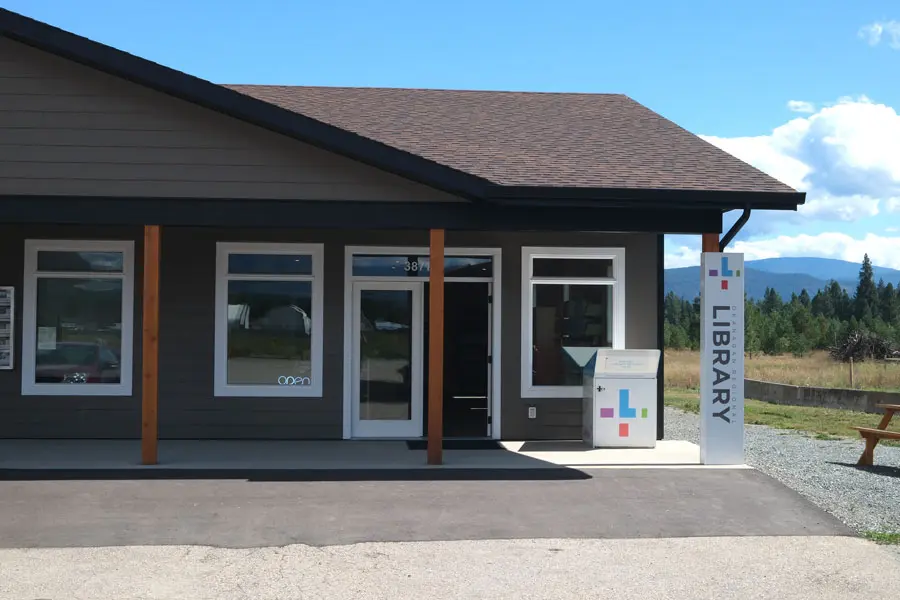
The ORL’s Kelowna – Rutland Makerspace is growing. New creative tools are arriving soon, expanding what you can design, build, print, stitch, and experiment with at the library. Whether you enjoy crafting, digital design, sewing, or hands-on technology, these additions will give makers even more ways to bring their ideas to life. Here’s a look at what’s coming soon, what you can already use, and how to get started.
Coming Soon
Two new tools will soon be available at the Kelowna – Rutland Makerspace. Because equipment is being added and prepared for use, patrons are encouraged to phone the Kelowna – Rutland branch to confirm availability before planning a visit.
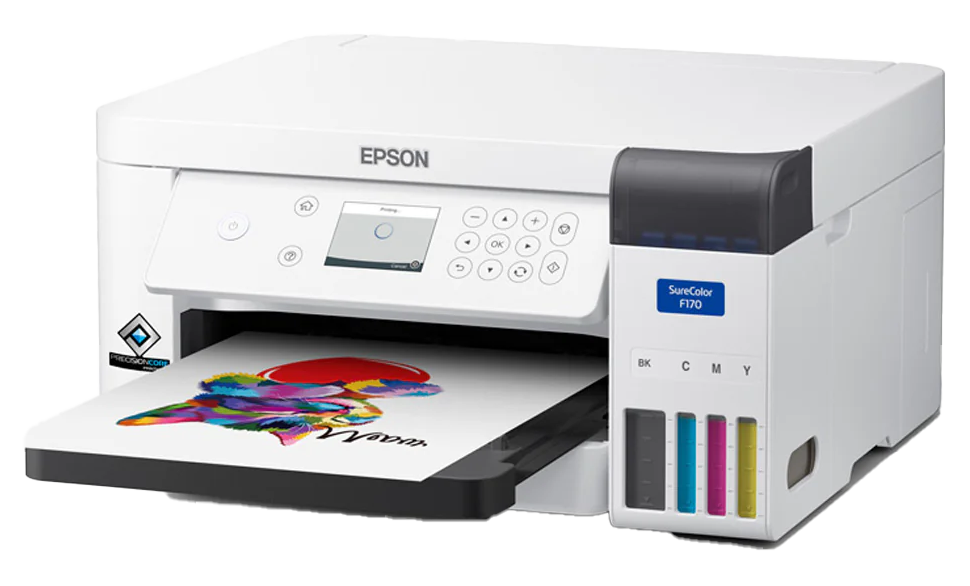
Sublimation Printer
A new sublimation printer will allow creators to transfer custom designs onto objects such as mugs, coasters, T-shirts, and other surfaces using heat and pressure. This equipment works alongside the Makerspace’s Digital Media Creation Station, a powerful workstation designed for creating and editing graphics, audio, and video.
HTVRONT Auto Heat Press
Also arriving soon is the HTVRONT Auto Heat Press designed to permanently apply custom graphics to items such as T-shirts, tote bags, coasters, mugs, and hats. Using a combination of heat and pressure, the machine transfers designs onto materials in a smooth and durable way. It pairs especially well with tools like the sublimation printer, Cricut machine, or other digital design equipment.
Because both of these new tools are still being introduced, patrons should phone the Kelowna – Rutland branch before visiting to confirm that the equipment is available.
Tools Currently Available at the Kelowna – Rutland Makerspace
Even before these new additions arrive, the Kelowna – Rutland Makerspace already offers a range of creative tools for hands-on learning and making.
Cricut Maker
The Cricut Maker is a precision cutting machine that can work with hundreds of materials, including paper, cardstock, vinyl, felt, leather, fabric, and more. It is widely used for DIY projects such as custom decals, greeting cards, signs, clothing designs, and craft projects. The machine includes cutting mats and specialized tools to help you create clean, detailed cuts.
Sewing Machines and Serger
Makers can also use the Kelowna – Rutland branch’s sewing equipment to repair clothing, work on quilting projects, experiment with embroidery, or create new textile designs. The Makerspace includes a Janome HD1000 sewing machine, along with cutting tools, measuring tools, pins, clips, thread, and needles to support a wide range of sewing projects.
Digital Media Creation Station and 3D Printer
The Makerspace also features a powerful Microsoft Surface Studio workstation paired with a Prusa i3 MK3S+ 3D printer. This setup allows creators to design digital objects and bring them into the physical world through 3D printing. Makers can produce everything from small figurines and tools to custom prototypes and creative models using library-supplied filament.
How to Use an ORL Makerspace
Makerspaces across the ORL follow a similar process to help ensure that equipment is used safely and effectively. If you’re interested in using any Makerspace equipment, here’s how to begin.
Step 1: Review the ORL’s Makerspace Guidelines and Complete a Maker Waiver
Before using any equipment independently, patrons must complete the Makerspace Waiver and Guidelines form. This confirms that you understand the safety guidelines and expectations for using the space. Before signing, please review the following guidelines:
- Makerspace Guidelines
- Makerspace Safety Guide
- Maker Responsibilities
- Intellectual Property Guidelines
Step 2: Verify Your Identity
When visiting the Makerspace, you’ll need to show a valid ORL library card and photo identification to staff.
Step 3: Complete Equipment Certification
Some tools require certification before you can use them independently. Depending on the branch and equipment type, certification may be completed through an online course, an in-person session, or a workshop offered through the library. These sessions teach you how to operate equipment safely and prepare your files or materials properly. To learn if certification is required for the equipment you’re interested in, please reach out to your local branch.
Step 4: Book Your Maker Station
Once certified, you can reserve equipment through the ORL’s online booking system. Most stations can be reserved up to two days in advance. For next-day or same-day bookings, patrons may phone their local branch to check availability.
Step 5: Bring Your Materials and Ideas
Most Makerspace tools require you to bring your own materials, such as fabrics, vinyl, mugs, or digital design files. A USB drive or personal storage device is also helpful for saving your work.
Create, Experiment, and Learn
Makerspaces are designed to encourage curiosity, experimentation, and creative exploration. Whether you’re trying digital design for the first time, repairing a favourite jacket, or printing a 3D prototype, these spaces provide tools and support to help bring ideas to life. With new equipment arriving soon at the Kelowna – Rutland branch, there are even more opportunities ahead for creative projects at the library.
If you’re interested in using the Kelowna – Rutland Makerspace or want to confirm when the new equipment becomes available, please contact the branch directly before visiting.
Need More Help?
Call us at 1-844-649-8127 or email help@orl.bc.ca. Please include as many details as you can about your question, account, or device. This helps us support you more quickly and accurately.
Library card expired? Reach out to your local branch or contact us online to renew—it’s quick and easy.