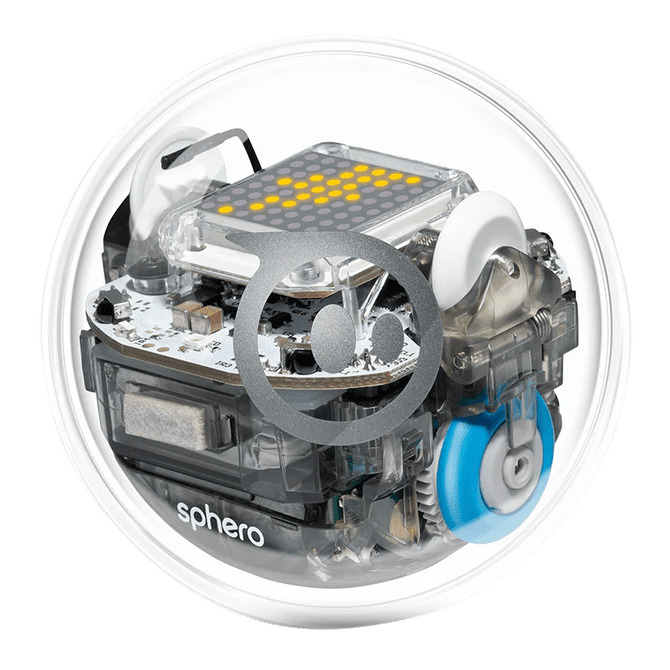
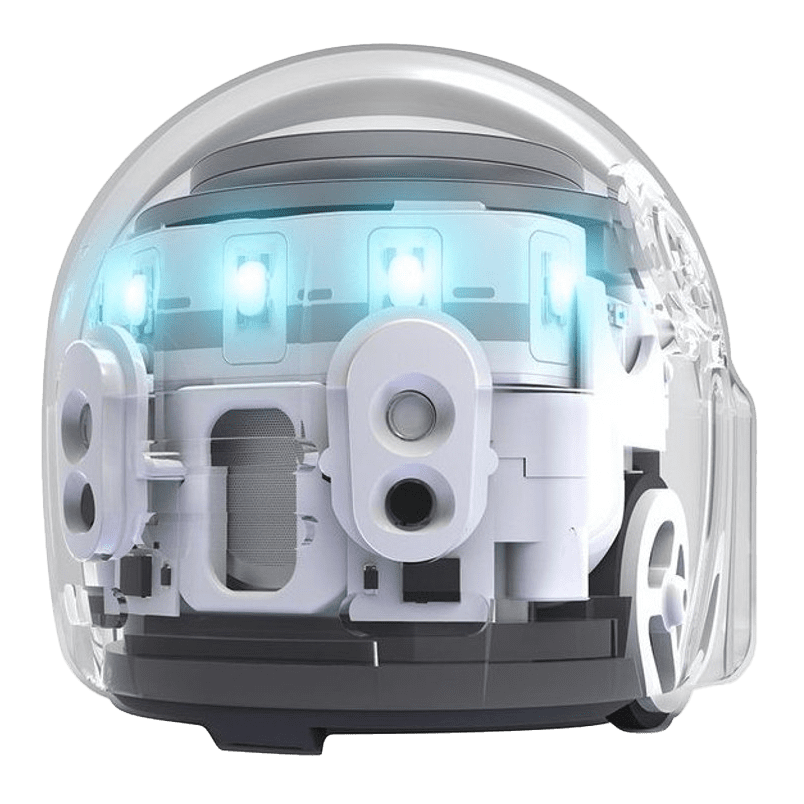
Ready to roll into coding, robotics, and creative play? Sphero BOLT turns learning into an interactive adventure. Drive it through a maze, program it to paint, race it across the room, or choreograph a glowing dance party. Follow guided activities or invent your own challenges while exploring coding and STEAM concepts through experimentation and play. Recommended for ages 8 and up.
What You Can Do
• Drive and control the robot using your device
• Learn the basics of coding and sequencing
• Create programs, games, and challenges
• Experiment with lights, movement, and sensors
• Design your own activities and obstacles
Getting Started
-
Turn on the Sphero BOLT and place it near your device.
-
Open one of the supported apps and select Connect Robot.
-
Hold your device close to the robot until the connection is confirmed.
-
Begin driving, coding, or launching activities.
The included iPad already has the required apps installed. If you prefer to use your own device, download the apps listed below.
Apps To Try
Sphero Edu App
Learn coding and programming using block coding, JavaScript, or guided activities.
Sphero Edu Jr App
Sphero Play App
Explore fun driving modes, games, and interactive challenges.
Swift Playgrounds (iPad or Mac only)
Learn coding in Swift while controlling the robot through custom programs and activities.
Charging the BOLT
Place the robot on the charging cradle using the supplied cable.
• The robot blinks blue while charging
• A solid light means the battery is fully charged
• If the robot will not connect, placing it on the charger will wake it from sleep mode
Caution
• Please do not drop the robot on hard surfaces or drive it off ledges higher than 45 cm.
• Not designed for chewing, throwing, or rough play.
• Charging should be done with adult assistance.
Additional Resources
Sphero Edu
Sphero Website
Sphero BOLT Home Guide
Sphero BOLT YouTube Channel
Sphero Edu YouTube Channel
Sphero Support
Did you make something awesome using this kit?
Share your creation with us on social media. Remember to use #ORLMakes so everyone can appreciate, learn, and marvel at your invention.

Tell us what you thought!
We want to know all about your experience using this Library of Things kit at home. Please take a few minutes to complete this brief survey.
Lending Policy
- This kit can be borrowed for 28 days.
- 1 renewal if no one else is waiting for the item.
- The borrower is responsible for lost, missing, and damaged pieces (see content list with prices included with kit).
- Before returning, please ensure all items are clean and in good condition.
- Return the kit to a staff member at the front desk of your nearest ORL location. Do not use the book drop or leave them outside the library.
- BC One Card patrons: Library of Things kits must be checked out and returned to one of the Okanagan Regional Library branches.